Solo
A$19A$15/mo
One person, recording in the browser.
- 1 user
- 5 recording hours and 500 credits a month
- Briefs, recaps, actions and drafted follow-ups
- Booking pages, 60 days of email and calendar history
For anyone whose work runs through client meetings. Briefi writes the brief before you join, captures the conversation, and has the recap, the actions and the follow-up email drafted by the time you are back at your desk.
Meetings is the edition for anyone who meets clients, candidates or customers and owes them something afterwards. No trade set-up, no registers. Your calendar, your inbox and the meeting.
Discovery calls, workshops and status meetings, each written up and sent the same day.
Every candidate or prospect call captured, with the next step pushed to your CRM.
Investor, partner and customer meetings across more than one business, each in its own workspace.
Start with your meetings. Advisor adds the client record, registers and signing when you want them.
How the editions fitEach meeting feeds the next one. What a client asked for, and what you promised them, is waiting in the brief the next time you meet.
Who is coming, what was said last time, what is still open, and the questions worth asking.
A notetaker joins the call, or you record in the browser. Or bring the notetaker you already use.
Decisions and actions with the minute they were said, and an email drafted in your voice.
Anything still open goes into the next brief.
Briefi reads the meeting on your calendar and your past meetings with the people coming, and writes a brief you can read in two minutes.
Illustration with sample data. The brief's sections follow your meeting type.
On a video call, in the browser, through a notetaker you already pay for, or across a table. Every route ends in the same transcript and the same recap.
Send it to one meeting, or let it join every meeting on your calendar that has a video link. It sits in the call as a visible participant.
Pro and BusinessOne click on the meeting page, with live captions as you go on Pro and Business. Good for calls where a notetaker would be out of place.
Every planAlready use Fireflies, Fathom, Read.ai or Grain? Connect it, and Briefi writes the recap and follow-up from its transcript.
Pro and BusinessA recorder for face-to-face meetings that asks for the client's consent out loud and keeps that clip with the recording.
On requestRecordings are capped by length on each plan: an hour on Solo, two on Pro, four on Business. Every plan includes recording hours each month, and you can buy more if a month runs long.
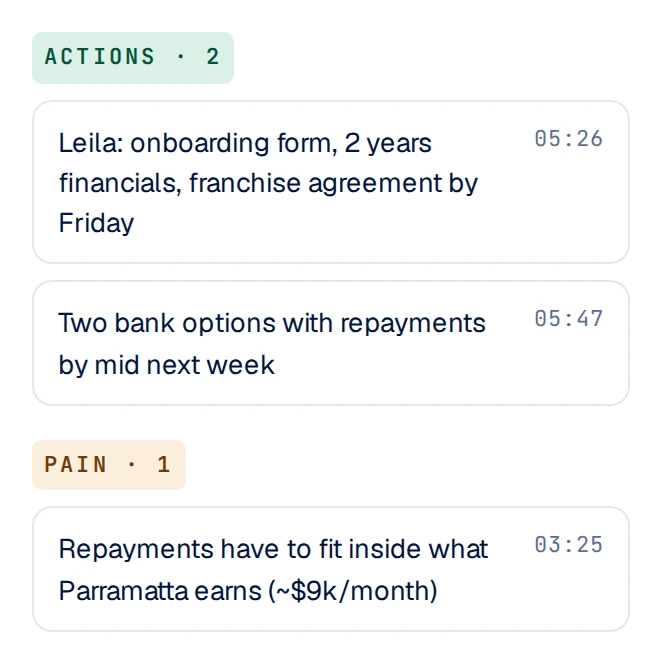
Highlights, with the minute each was said.
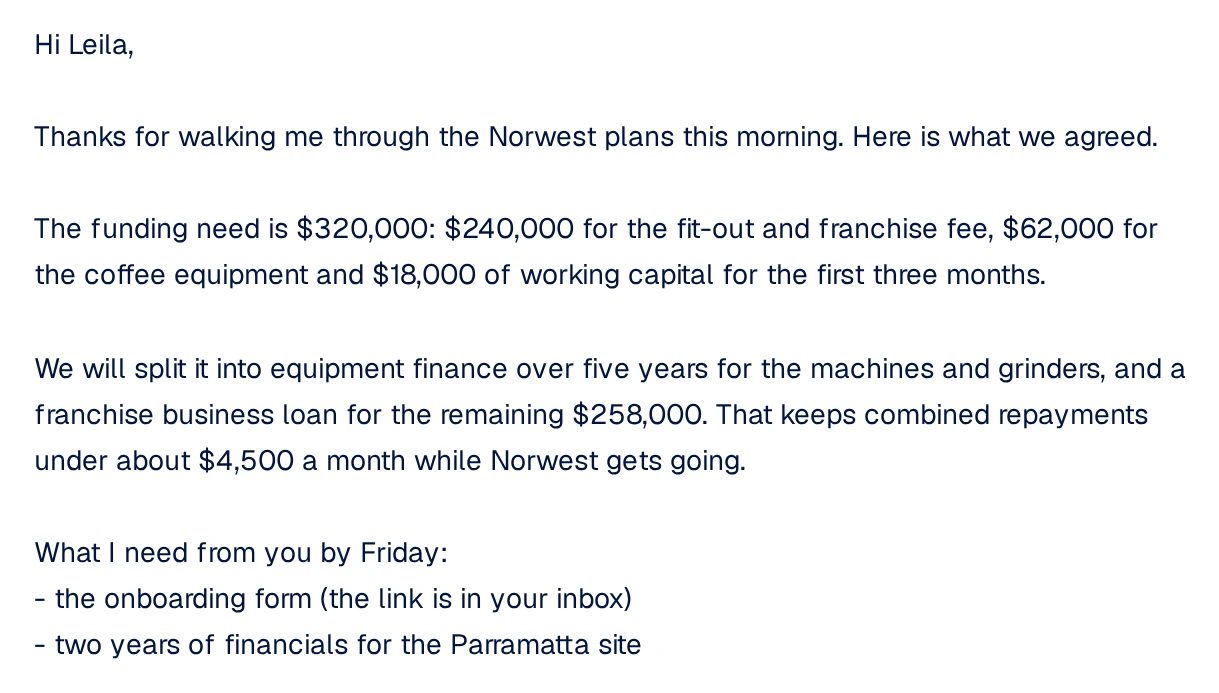
Hi Leila,
Thanks for walking me through the Norwest plans this morning. Here is what we agreed.
The funding need is $320,000: $240,000 for the fit-out and franchise fee, $62,000 for the coffee equipment and $18,000 of working capital for the first three months.
What I need from you by Friday: the onboarding form, and two years of financials for the Parramatta site.
Real screens from a demo workspace. Names are fictional.
Connect Google or Microsoft 365. Briefi tells your client meetings from your internal ones, and keeps the email around each client in view.
When you send the follow-up, Briefi can push the meeting to your CRM: the contact updated, with the meeting notes and the next step attached.
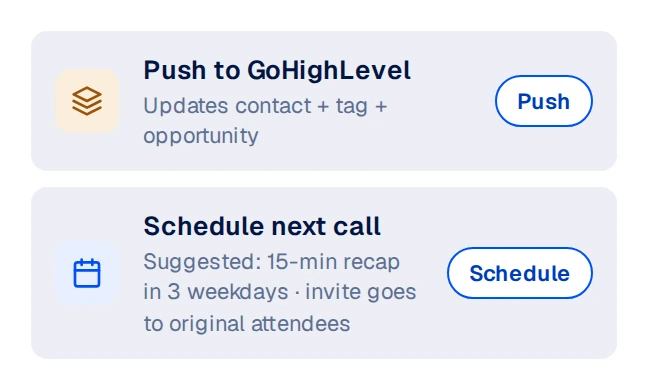
Real screen from a demo workspace.
A$19A$15/mo
One person, recording in the browser.
A$39A$29/mo
The notetaker joins your calls and your CRM stays current.
A$69A$49/mo
A team that shares clients, with an assistant on the account.
Each extra user A$39A$29 a month, up to 15 users
Start free trialCredits pay for the writing: a brief, a recap, a drafted reply. Recording time is counted separately, in hours. Top up 200 credits for A$12, or 5 hours for A$15.
Scale covers every edition across up to 15 workspaces, from A$499A$399 a month. Enterprise is priced on contract.
Brief, capture, recap and follow-up.
You are here · from A$19Forms completed and signed, with a ledger. No meeting tools.
A$39 a monthA client portal, the registers your trade keeps, review dates and consents, for advisers, brokers and accountants.
For anyone with client meetings. Most people start here.
Forms sent from your own mailbox and returned signed, for practices that need no meeting tools. A workspace runs one edition.
Meetings and Sign together, plus the client record, for advisers, brokers and accountants. Your meetings, contacts and history stay in the same workspace when you move up.
No. Meetings works for anyone with client, candidate or customer meetings. Advisor is the separate edition for regulated practices that also need the client record.
Google and Microsoft 365 calendars and mailboxes. Pro and Business also connect other mailboxes over IMAP.
The notetaker joins as a participant everyone in the call can see. The in-room recorder asks for consent out loud before it starts. Telling people, and getting their consent where the law requires it, stays with you.
Yes, on Pro and Business. Connect Fireflies, Fathom, Read.ai or Grain in your workspace settings, add Briefi's address in that tool, and Briefi writes the recap and follow-up from its transcripts.
You set it for your workspace. The transcript and recap stay with the meeting after the audio is deleted.
You can top up at any time: 200 credits for A$12, or 5 recording hours for A$15. Your allowance resets each month.
Yes. Advisor includes everything in Meetings and Sign, so moving up keeps your meetings, contacts and history in the same workspace.
Start a 14-day trial with your own calendar, or book a 30-minute demo.